
Everything you need to prepare, connect, and meet your provider securely from home.
A Virtual Visit lets you meet your provider through a secure video connection using your smartphone, tablet, or computer—no travel required.
Important Safety & Privacy Policy:
Do not attempt to join your appointment while driving or traveling in a moving vehicle. For your safety, the protection of your medical privacy, and optimal care quality, providers will immediately pause and reschedule any visit conducted while operating or riding in a vehicle.
What You Need Before You Start
-
Account: Access to your patient portal or login details provided by our office.
-
Device: Smartphone, tablet, or computer equipped with a working camera and microphone.
-
Internet: A strong Wi-Fi or cellular data connection for smooth video streaming.
-
Supported Browser: Chrome, Safari, Firefox, or Opera (if joining via computer).
4 Ways to Join Your Visit
Choose whichever method works best for you:
1. Via Email Link
-
Open your appointment confirmation or reminder email.
-
Click “Join TeleVisit.”
-
Complete any required pre-visit forms.
-
Start your visit.
2. Via Patient Portal
-
Log into your patient portal.
-
Navigate to Appointments.
-
Select “Join TeleVisit.”
3. Via 12-Digit Visit Code
-
Locate the 12-digit code provided by your provider’s office (sent via email, text, or provided directly by staff when scheduled).
-
Enter your code on the visit login page.
-
Confirm your details and start your visit.
4. Via the healow® App
-
Download healow from the App Store or Google Play.
-
Log in with your provider credentials.
-
Go to Appointments.
-
Select your scheduled visit and tap “Start.”
How to Prepare & What to Expect
Before Your Visit
-
Log in 10–15 minutes early: Gives you time to complete check-in steps and ensure your device is charged.
-
Test your camera and microphone: Allow browser/app permissions when prompted so your provider can see and hear you clearly.
-
Choose a quiet, well-lit space: Find a comfortable, private room away from background noise and distractions.
-
Gather key materials: Have your current medication bottles, symptoms list, and questions nearby.
During Your Visit
-
Virtual Waiting Room: You will enter a secure waiting area until your provider joins the call.
-
In-Call Controls: Use the on-screen toolbar to mute/unmute audio, toggle your camera on/off, or use the chat function.
-
Wrapping Up: Select the option to end the call once your visit is complete.
Need Help?
If you experience technical issues logging in or accessing your visit, please contact the Center for Healthy Living Office at 862-895-6040.
Similar Articles

September 13, 2026

September 1, 2026
Frequently Asked Questions About Center For Healthy Living
Read More
August 11, 2026

August 4, 2026
When Your Period Isn’t Going With The Flow: What’s Normal, What’s Not
What's Up, Down There
Read More
August 2, 2026

August 1, 2026

July 7, 2026

July 7, 2026

July 7, 2026
Could It Be Perimenopause? Recognizing the Signs and Knowing When to Seek Care
Read More
July 7, 2026
How to Avoid Insurance Surprises at Your Next OB/GYN Visit
Patient Resources, Preventive Care
Read More
July 7, 2026
Why You Still Need an Annual Well-Woman Exam—Even If You’re Not Due for a Pap Smear
Preventive Care
Read More
June 5, 2026

June 5, 2026
May 7, 2026

April 14, 2026
April 14, 2026

March 6, 2026
March 6, 2026

February 16, 2026
Understanding Your Pregnancy Odds: A Guide to Fertility in Your 20s, 30s, and 40s
Pregnancy
Read More
February 16, 2026

February 5, 2026

November 10, 2025
November 10, 2025
September 15, 2025
September 15, 2025

September 15, 2025
A Study about Mom’s Wellbeing & Maternal Attitudes
Read More
August 12, 2025

July 14, 2025
5 Things You Didn’t Know About Your Ovaries
Read More
May 7, 2025
April 7, 2025

April 7, 2025

March 10, 2025

March 10, 2025

February 5, 2025

February 5, 2025

February 4, 2025

January 7, 2025

January 7, 2025

November 13, 2024

November 13, 2024
What’s That Bump? A Guide To Decoding Below-The-Belt Bumps
Self-care, What's Up, Down There
Read More
October 8, 2024

October 8, 2024

August 22, 2024

August 22, 2024

July 24, 2024
July 24, 2024

June 24, 2024

June 24, 2024

May 24, 2024

May 24, 2024

April 23, 2024

March 21, 2024

February 20, 2024

January 22, 2024

January 22, 2024

November 21, 2023

November 21, 2023

November 14, 2023
Changing Your Quality of Life: Tara’s Story of Overcoming Urinary Incontinence
Bladder & Pelvic Health
Read More
October 23, 2023

October 23, 2023

September 19, 2023

September 19, 2023

August 21, 2023

August 21, 2023

July 21, 2023
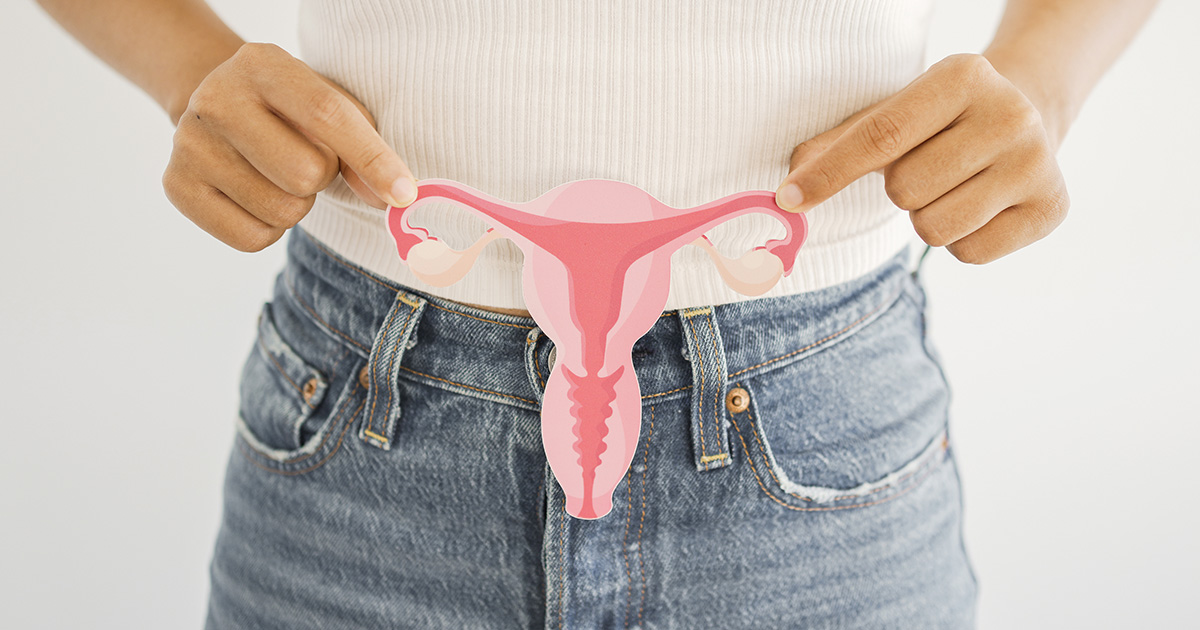
Everything You’ve Wanted To Know About Your Uterus
Patient Resources, What's Up, Down There
Read More
July 21, 2023

June 22, 2023

June 21, 2023

May 22, 2023

May 22, 2023

April 19, 2023

April 19, 2023

April 19, 2023

March 21, 2023

March 21, 2023

March 21, 2023

February 15, 2023

February 14, 2023

January 18, 2023

January 3, 2023
What You Need to Know About Birth Defect Prevention: A Candid Consult
Pregnancy, Preventive Care
Read More
January 1, 2023

December 16, 2022
December 16, 2022

December 15, 2022

December 14, 2022

November 14, 2022

November 13, 2022

October 19, 2022

October 19, 2022

October 19, 2022

October 3, 2022

September 20, 2022

September 20, 2022
September 20, 2022
Polycystic Ovarian Syndrome (PCOS): What You Need to Know
Bladder & Pelvic Health, Gynecology
Read More
August 16, 2022

August 15, 2022

August 15, 2022

August 15, 2022

July 20, 2022

July 20, 2022

July 20, 2022

July 20, 2022

July 14, 2022

June 21, 2022

June 21, 2022

June 21, 2022

May 20, 2022

May 20, 2022

May 3, 2022

April 18, 2022
What’s Up, Down There: Why Do We Get Pain Back There During Our Period?
Gynecology, What's Up, Down There
Read More
April 18, 2022

March 18, 2022

March 15, 2022
What’s Up, Down There: Understanding Your Menstrual Cycle
Gynecology, What's Up, Down There
Read More
March 15, 2022

March 15, 2022

February 14, 2022

February 11, 2022

February 11, 2022

February 11, 2022

January 12, 2022

January 12, 2022
What’s Up, Down There: Everything You’ve Wanted to Know About Pubic Hair
Gynecology, What's Up, Down There
Read More
January 1, 2022

December 14, 2021

December 14, 2021

November 8, 2021
The COVID-19 Vaccine & Changes in Your Period: A Conversation with Axia’s Chief Medical Officer
COVID-19, Gynecology
Read More
November 8, 2021

November 8, 2021

November 8, 2021

October 18, 2021

October 18, 2021

October 18, 2021

September 24, 2021

September 20, 2021

September 20, 2021
I’ve Developed Gestational Diabetes. Now What?
Exercise & Nutrition, Fourth Trimester, Pregnancy
Read More
September 10, 2021

August 13, 2021
How Hormones Affect Digestion From Pregnancy to Menopause
Menopause, Pregnancy, Preventive Care
Read More
August 13, 2021

August 13, 2021

August 13, 2021

July 14, 2021

July 14, 2021

July 14, 2021

July 14, 2021

June 11, 2021
Pelvic Floor Physical Therapy: Why Kegel Exercises Aren’t Everything
Bladder & Pelvic Health
Read More
June 11, 2021

June 7, 2021

June 2, 2021

May 17, 2021

May 17, 2021

April 30, 2021

April 13, 2021

April 9, 2021

April 9, 2021
Top 10 STD Questions You May Be Too Embarrassed To Ask Your Doctor
Gynecology, Preventive Care
Read More
March 16, 2021

March 16, 2021

February 19, 2021

February 19, 2021

January 22, 2021
Candid Consult: Discussing Race in Healthcare
Read More
January 22, 2021

January 19, 2021
What You Should Know About Cervical Cancer: A Candid Consult with Dr. McDonald
Bladder & Pelvic Health, Cancer
Read More
December 17, 2020

December 17, 2020

December 17, 2020

November 23, 2020

November 23, 2020

October 27, 2020

October 27, 2020

October 1, 2020
Your Breastfeeding Journey Series: How to Care for Your Breast Pump and Accessories
Fourth Trimester
Read More
September 24, 2020

September 1, 2020

September 1, 2020

August 25, 2020
August 24, 2020

August 3, 2020

July 28, 2020

July 23, 2020

June 22, 2020

June 22, 2020

May 21, 2020

May 20, 2020

April 27, 2020

March 11, 2020

February 20, 2020

January 21, 2020

December 10, 2019

November 17, 2019

November 15, 2019

October 4, 2019

September 17, 2019

September 9, 2019

July 22, 2019

July 15, 2019

July 11, 2019

June 24, 2019

June 10, 2019

May 12, 2019

May 11, 2019

May 10, 2019

May 10, 2019

May 10, 2019
May 9, 2019

May 8, 2019
Post-Partum Depression: Moving Out of the Shadows into a Community of Support
Fourth Trimester, Mental Health
Read More
April 3, 2019

March 5, 2019